Merge Cubes
This example shows how to merge two synthetic DataCubes, using the dc.merge_cubes() method.
Example
Below is a script that:
Generates a synthetic data useing
generate_pattern_stack().Builds two
DataCubeinstances (dc_a and dc_b) with different spatial resolutions and wavelength ranges.Displays a side-by-side comparison of a single wavelength slice before resizing.
Resizes dc_b to match the spatial dimensions of dc_a and displays the aligned slices.
Merges dc_b into dc_a, producing a combined cube with both wavelength sets.
Uses the
plotter()to visualize the merged cube interactively.
 1import numpy as np
 2from wizard import DataCube, plotter
 3from wizard._utils.example import generate_pattern_stack
 4from matplotlib.pyplot import subplots, show
 5
 6# Generate datasets
 7data_a = generate_pattern_stack(20, 600, 400)
 8data_b = data_a[:, ::2, ::2]
 9
10# Create DataCubes
11wls_a = np.linspace(0, 20, 20, dtype=int)
12wls_b = np.linspace(60, 100, 20, dtype=int)
13dc_a = DataCube(data_a, wavelengths=wls_a, name="dc_a")
14dc_b = DataCube(data_b, wavelengths=wls_b, name="dc_b")
15
16# Display cube info
17print(dc_a, dc_b, sep='\n')
18
19# Helper for side-by-side comparison
20def compare_cubes(c1, c2, idx=1):
21    fig, axes = subplots(1, 2, figsize=(10, 5))
22    for ax, dc in zip(axes, (c1, c2)):
23        ax.imshow(dc[idx])
24        ax.set_title(dc.name)
25    fig.tight_layout()
26    show()
27
28# Initial comparison
29compare_cubes(dc_a, dc_b)
30
31# Resize and compare again
32dc_b.resize(x_new=dc_a.shape[1], y_new=dc_a.shape[2])
33print(dc_b)
34compare_cubes(dc_a, dc_b)
35
36# Merge and inspect
37dc_a.merge_cubes(dc_b)
38print(dc_a)
39plotter(dc_a)
Figure Outputs
Figure 1: Initial Comparison
The first figure presents dc_a and dc_b at the same wavelength index. You can see that dc_b (right) has half the resolution of dc_a (left), causing a blockier appearance.
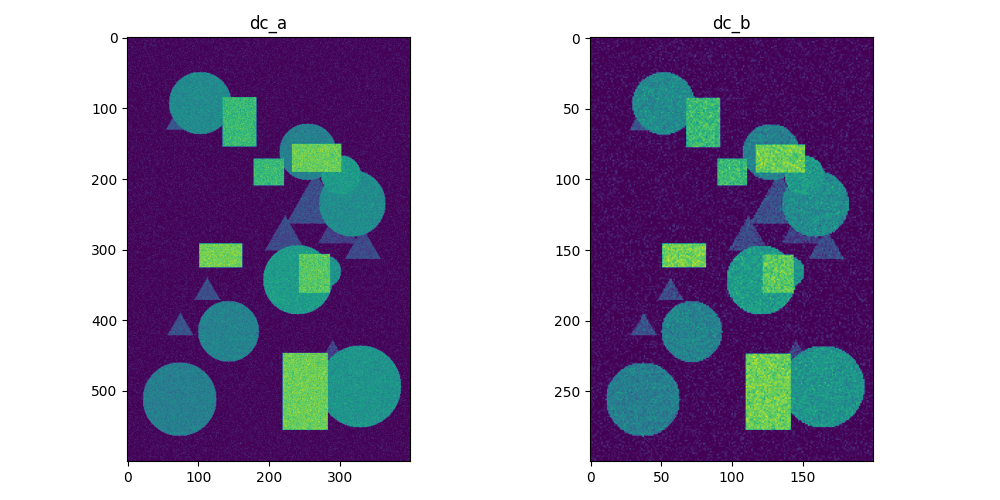
Display cube infos:
Name: dc_a                                          Name: dc_b
Shape: (20, 600, 400)                               Shape: (20, 300, 200)
Wavelengths:                                        Wavelengths:
        Len: 20                                             Len: 20
        From: 0                                             From: 60
        To: 20                                              To: 100
Figure 2: After Resizing
The second figure shows both cubes after calling dc_b.resize(…). Now dc_b matches dc_a in spatial dimensions, and their patterns align perfectly.
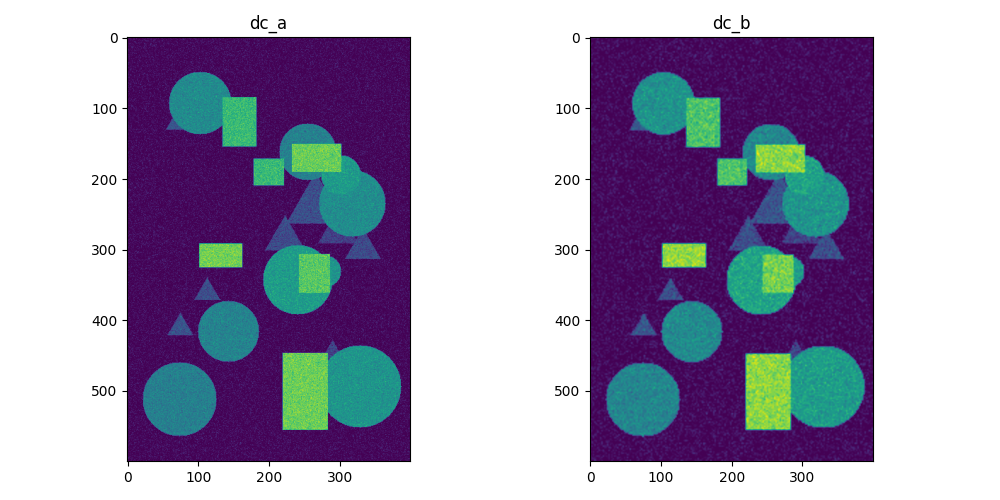
dc_b print output after resize:
Name: dc_b
Shape: (20, 600, 400)
Wavelengths:
       Len: 20
       From: 60
       To: 100
Figure 3: Merged Cube Visualization
After merging, dc_a contains two spectral ranges: the original wavelengths and those from dc_b.
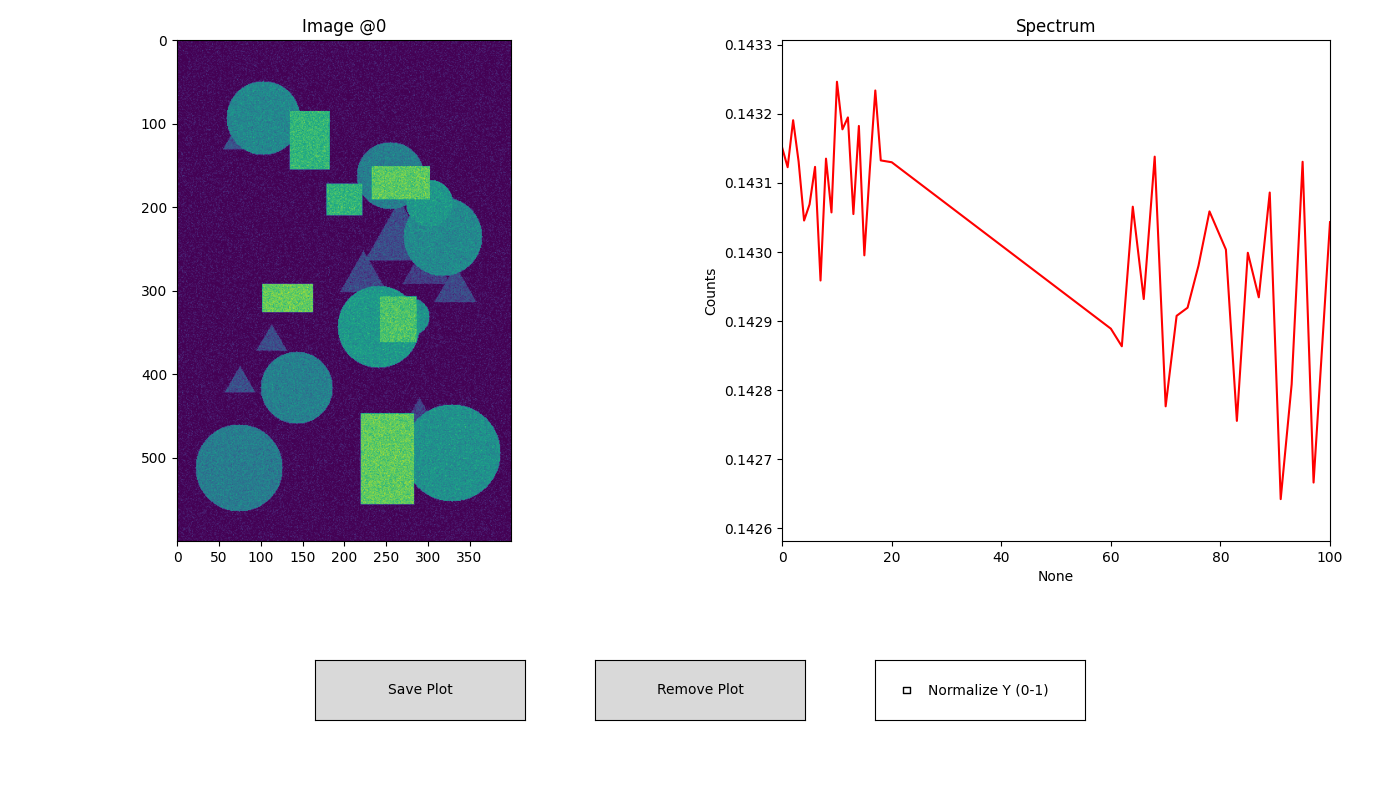
dc_a print output after merge:
Name: dc_a
Shape: (40, 600, 400)
Wavelengths:
       Len: 40
       From: 0
       To: 100